Version 5.0.0.4 released
- Fixed in Windows 7, Vista: compatibility issue with Google Toolbar 6 which crashed IE when closing a tab
I was quite occupied recently but I have two pieces of good news: First, Quero is now open source and secondly, I have also managed to build a new version.
I have thought about releasing Quero as open source since the release of version 1 five years ago but decided to stay closed source for the time being in order to keep more control over it.
Over time I also got some offers for selling the source code or bundle it with other software which I politely refused. Over the past 5 years I have learned how to write good and bad code, got acquainted with many internal Microsoft technologies (GDI, COM, Uniscribe, Windows Desktop Manager, WinINet, WinHTTP, Crypt32, ...) and also hacked Internet Explorer in order to implement dynamic JavaScript filtering and replace the navigation bar. At least for the latter the IE team has eventually provided a group policy setting which I am taking advantage of in the new release.
From a developer's stand point I understand the benefits of open source software and believe me I wished many times to have access to the source code of IE and Windows, which would have saved me from so many hours figuring things out.
I am glad releasing Quero finally as open source, which is quite a natural step for a freeware project in my opinion. You are welcome to improve the code or take it as a reference for your own add-on project. The next challenge will be to see how comaptible Quero will be with IE9 but until then I wish you hassle-free browsing with Quero.
New Features
- Quero is now open source, licensed under the GPLv3
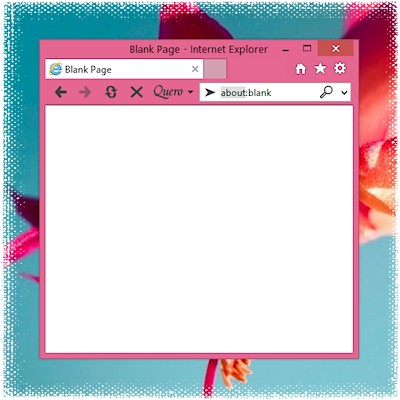
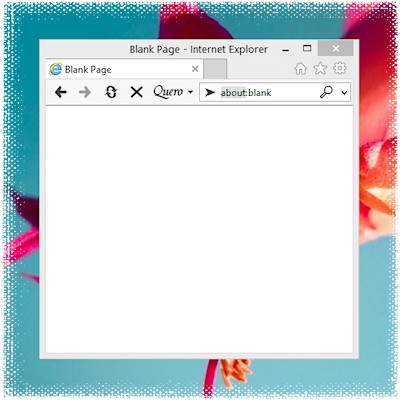
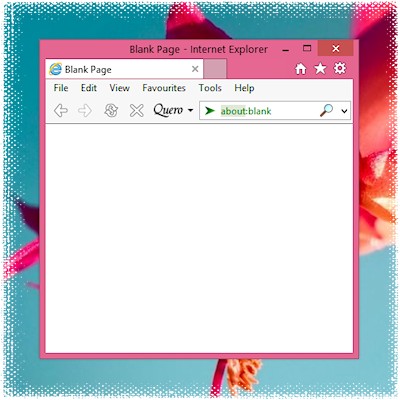
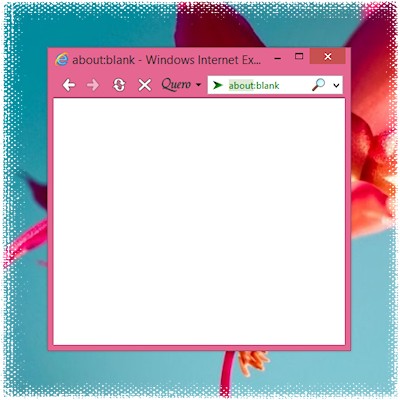
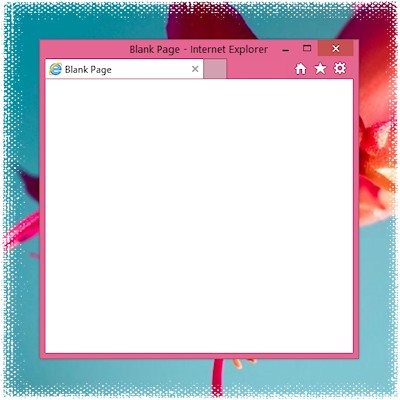
- New method to hide the standard navigation bar using the NoNavBar group policy (changing the setting requires Administrator rights)
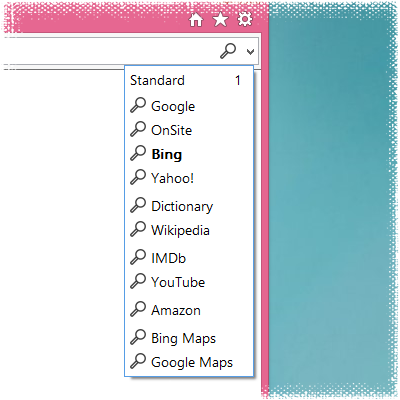
- Extended Favicon support (favicons are now displayed in the history and search-engine drop-down list if available in the cache)
- Support for custom search engine icons added
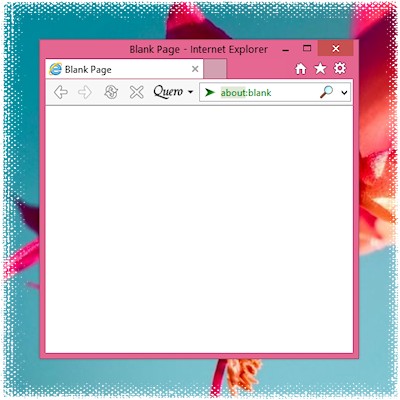
- SSL certificate information is now displayed in the Quero box (box does not turn yellow any more to be more consistent with IE8)
- Quero button is now optional, entire toolbar can be hidden if you only want to use the ad blocker
- Added Site Search capability which allows you to search for keywords on the current Web site (Google Site Search engine added to demonstrate this feature)
- Experimental option to hide the Favorites button added (useful for reducing the interface to just one line if tabbed browsing is turned off)
- Optional page loading animation added (useful if tabbed browsing is turned off, requires IE7 or higher)
- Using Explorer's blocked pop-up sound instead of own sound
- New graphics for the home and go button
- Discontinued development for Windows 98
- Removed additional settings for Quick Find, it is now either on or off
- Removed option "Set focus in search box" (functionality replaced by Quick Type)
- Fixed: searching from the context menu did not work in pop-up windows (or if tabbed browsing was turned off)
IE8 has been released several weeks ago at the MIX Web conference. Next week the actual rollout via Windows Update will start.
You can watch the MIX keynote speeches online and there is also a nice video showing that JavaScript performance is not everything.
I have tested IE8 RTM the past few weeks and can really recommend upgrading. IE8 is faster and more secure than IE7 and has cool features such as tab coloring, standards-compliant CSS 2.1 support and a great built-in script debugger.
If you have not done already, please also update Quero to the newest version, which I optimized for IE8.
![]()
One complaint about IE7 or IE8 I hear often is that it takes so long to open a new tab. In fact IE can open a new tab in a fraction of a second. What slows IE down are buggy or old add-ons such as the old Java SSVHelper BHO or Java Plug-in, which were part of older Java SE installations.
I recommend taking a closer look into the Tools > Manage add-ons dialog and uninstall or disable all add-ons you do not need.
In order to solve the issue with the SSVHelper add-on, uninstall all Java Runtime Environments through the control panel. Afterwards check that all Java add-on were removed. If you need support for Java applets (some bank Web sites require Java applets) install the latest version (currently Version 6 Update 12) from java.com.
Other add-ons which are safe to disable: Research, Adobe PDF Linker Helper, Sun Java Console, Google Toolbar Helper, etc.
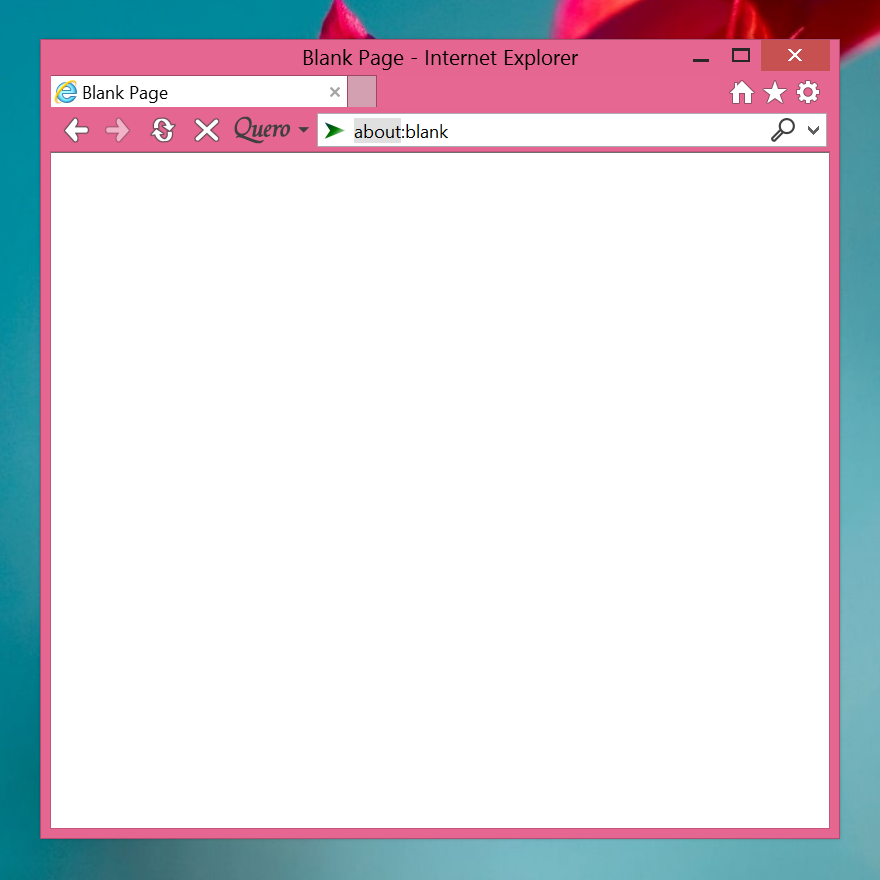
Tip: Set your home page and new tab page to "about:blank" to further speed up IE.
Here is my xmas present for you: a new version of Quero with IE8 support and neat new features:
- IE8 support added
- You can now disable the ad blocker temporarily for the current domain (shortcut Ctrl+Ins or click on the recycle bin icon in the Quero box).
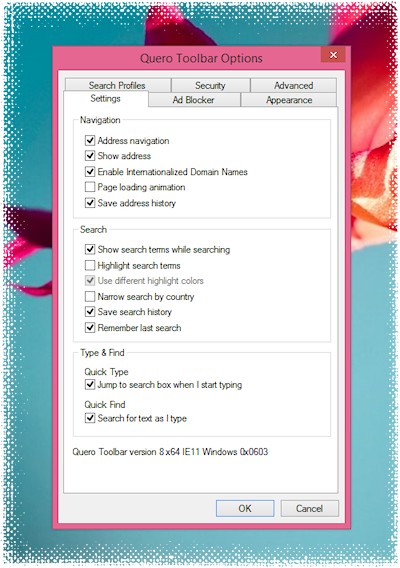
- New option added: "Show Search Terms While Searching"
- New OpenSearch template parameters added, which can be used to build queries depending on the current URL: Quero:url, Quero:hostname and Quero:domainname.
- New keyboard shortcut added: Ctrl+L toggles between search and navigation mode
- New Registry setting "Keys" of type DWORD added for disabling global keyboard shortcuts used by Quero. In order to turn Ctrl+Ins off, set the value to hexadecimal "FFFDFF".
- Win9x: included newer version of UnicoWS.dll (1.1.3790)
- Fixed: crash on certain Web pages if the ad blocker was turned on
You can now post your comments in the new Quero Forum.
Happy holidays and a happy new year 2009!
Update 2008-12-23: fixed an issue with the XP installer, please redownload if you are using XP or 2003
Today I am celebrating the fourth birthday of Quero since the release of version 1.0 :-) In the past four years Quero kept me awake many nights fixing bugs, implementing new features and adapting to new IE and Windows versions.
I am currently finalizing the next version of Quero, which will support the new multi-process architecture of IE8, also known as LCIE (Loosely-Coupled IE).
I would like to thank all contributors who help me by their constructive feedback, suggestions, bug reports and donations.
I am going to Canada again and give a presentation about the ad blocking part of Quero at the Privacy, Security and Trust (PST) conference.
This time the PST conference will be held in Fredericton, New Brunswick from 1st to 3rd October 2008.
I also looking forward to making a week vacation in Canada :-)
Update 2008-10-24: The PST 2008 presentation slides are now online.
You can now get support and share your experience with Quero in the Quero Forum.
I encourage you to ask your questions in the forum so that other users can also benefit from the answers posted there.
Of course, you can still get individual email support.
Again, I want to thank you for the great feedback you wrote me so far. See you in the forum.

You may already know, that Quero is the first IE toolbar which supports both new Windows Vista themes, namely Aero Basic and Aero Glass, but how to enable the Glass effect?
While Quero automatically extends the Aero Basic background to all other toolbars, I unfortunately was not able to do the same for Aero Glass, since all other toolbars – including the Menu and Links bar – do not support Aero Glass.
In order to activate Aero Glass in Quero the following conditions have to be true:
- Your Vista version and graphics card have to be capable of Aero Glass and the Aero Glass theme has to be activated.
- You have to run the Vista version of Quero (see Quero > About).
- The Aero theme option has to be activated in Quero (on by default, see Quero > Options > Appearance).
- Due to compatibilty reasons the Quero Toolbar must be placed at the top and reside in its own line since otherwise incompatible toolbars would not be correctly rendered under Aero Glass.
I am happy to announce that I have now managed to migrate Quero to the 64-bit era:
- 64-bit version for Vista x64 released (x64 installer includes both the 32- and 64-bit version of Quero)
- Ad blocker updated: Quero can now block various ad scripts from Google and other ad providers (more general option "Block ad scripts" replaces "Block ads by Google/IntelliTXT")
- Support for pasting multi-line URLs added: you can now paste URLs that are split into several lines (which often occurs in emails) into Quero
- Moved registry key in Windows Vista where Quero stores its settings from Internet registry to [HKCU\Software\AppDataLow\Software\Quero Toolbar]
- Fixed: crash after excessive surfing when the ad blocker was enabled; dragging long URLs with characters which are not allowed in Windows file names failed; Quero does not capture the keys F3/F2 if the search box is hidden any more
- Fixed: crash when IE was opened in protected mode due to an unexpected state in the Windows Internet registry
After migrating from IE6 to IE7 I often hear users complaining about the loss of screen space due to the newly added tab bar and I am asked how to reposition the toolbars to just one line again.
My answer is: With Quero you can as long as you can do without tabbed browsing and the command bar.
In IE8:
- Disable tabbed browsing (Tools > Internet Options > General > Tabs Settings)
- Hide the command bar (Tools > Toolbars)
- Hide the Favorites button (Quero > Options > Appearance)
- Unlock the toolbars. Now you can move them to one line.
In IE7:
- Disable tabbed browsing (Tools > Internet Options > General > Tabs Settings)
- Disable the command bar (download the Quero Launcher and run once: qlaunch.exe commandbar=no)
- Unlock the toolbars. Now you can move them to one line.
Tip: To save even more space, use a small button Quero Theme and hide the status bar.
For quite a long time now it was expected that Microsoft will reveal the first Beta of IE8 at the MIX08 conference. Watch the keynote speech from IE General Manager Dean Hachamovitch at 09:30 (PST) live online. Quero is not yet IE8 compatible, but I plan to fix all issues and offer a compatible version before RTM. I am already curious about the newly added "security features" ;-)
Update: Screenshot IE8 Beta 1 with Quero

- Improved integration with Windows Vista: Quero is the first IE toolbar to support Vista's new Aero theme (download the special Vista version now)
- Paste and go (from the search box context menu, or with the shortcut Ctrl+Shift+V)
- For users who do not want to use Quero as an address bar replacement the toolbar can now be reduced to just one button
- Increased the maximum number of search engines and search profiles from 32 to 64
- New options to disable the ad blocker for local or https sites added
- Fixed: certain content was blocked anyway even though it was whitelisted
One useful shortcut – you probably already know from IE – is to complete .com URLs with Ctrl+Enter. Perhaps you also noticed that by default this shortcut works a bit differently in Quero. While IE completes the URL for you by adding the prefix "http://www." and suffix ".com", Quero redirects you to the first result returned by Google. This feature, also known as "browse by name", is more powerful in my opinion as soon as you get used to it. Instead of remembering the exact URL you can rely on "simpler" keyword(s) for reaching the same site regardless of the site's TLD. Try it out!
You can also change Quero's Ctrl+Enter behavior back to IE's default or perform a search in a search engine of your choice. Please note that in Quero the actual Ctrl+Enter behavior depends on the active search profile. To customize it build a new URL template as described in my previous post. Open Quero > Options > Search Profiles, select the search profile you want to customize and click on Edit.
Use the Shift and Alt modifier keys in this scenario to open the result in a new window or tab.
Addding search engines to Quero is easy. In this blog post I want to illustrate how to add a search provider to Quero with a simple and more advanced example leveraging Quero's multi-parametric search capabilities.
Most search engines use a particular URL to pass your search phrase to the search engine. We need to find this URL, modify it slightly and finally enter it in Quero's search profile editor.
Lets assume we want to add Flickr photo search to Quero.

Follow these generic steps in order to find the search URL you need to add to Quero:
- Visit the page (www.flickr.com) and perform a search for the term "Quero" using the search box on the Web page
- Copy the URL of the search results page: http://www.flickr.com/search/?q=Quero
- Open Quero's search profile editor (Quero > Options > Search Profiles)
- Select the search profile and search engine after that you want to add the new one and click on New
- Give the new search engine a name
- Paste the copied URL into the URL field and replace the search phrase "Quero" with the placeholder "{searchTerms}" (note: URLs are case-sensitive): http://www.flickr.com/search/?q={searchTerms}
- Modify the rest of the settings if you want to and save the changes
As you can see, the whole search phrase is mapped to the parameter q in this example. But what if the search form requires more than one input parameter like when searching for flight connections from A to B?

Performing a search for flights from Vienna to New York on Expedia results in the following URL:
http://www.expedia.com/pub/agent.dll?qscr=fexp&flag=q&city1=Vienna&citd1=New+York&date1=1/28/2008& time1=660&date2=2/28/2008&time2=660&cAdu=2&cSen=0&cChi=0& cInf=&infs=2&tktt=&ecrc=&eccn=&qryt=8&rdct=1&rfrr=-34980&&zz=1201261125078&
Looks rather complex, right? But perhaps you have already spotted the departure and destination city in the URL. Similar as in the example above you have to replace the actual search terms with some special placeholders:
http://www.expedia.com/pub/agent.dll?qscr=fexp&flag=q&city1={Quero:p1}&citd1={Quero:p2}
Quero currently supports up to 9 parameters, which have to be separated by spaces, dashes or " - " (space, dash, space). Once you have added the above URL to Quero you can search for available flights by simply entering "Vienna - New York" into Quero's search box. Notice also that I have removed some parts from the original URL such as the date and time. By doing so, Expedia asks you for a new date every time you search for a new flight. Additionally, it is also possible to hand over the current date and time in your query by the following Quero specific parameters: {Quero:Year}, {Quero:Month}, {Quero:Day}, {Quero:Hour}, {Quero:Min}, {Quero:Sec}.
I hope you enjoyed this little tutorial about adding search providers to Quero. If you have additional questions please do not hesitate to contact me.
In a new Web study I analyze the characteristics of online ads and show how Quero is designed to effectively protect you against intrusive Web advertising.
A comparison with Adblock Plus (ABP), the most popular extension for Firefox, shows that Quero correctly recognizes about 90% of Internet ads, whereas ABP blocked only 59% with the EasyList subscription.
Admittedly, you can always add more filter rules to ABP to improve the result, but the beauty of Quero is that you simply install it and do not need to poll for new updates every day.
I wish you happy holidays and a happy new year 2008!
After installing the latest security updates (MS07-069) for IE6 on Windows XP SP2, you may experience IE6 frequently crashing in the urlmon.dll. To solve this problem apply the registry setting described in the KB942367 article.
- Fixed: bug in the content filter which caused a crash under certain conditions
Are you ready for the new Web experience with less intrusive ads, faster search and easier navigation? Quero Toolbar 4 Final is now ready for you to download.
Today is also the third birthday of Quero. Happy birthday, and thanks to everyone who helped evolve Quero by contributing feedback, suggestions, bug reports and donations. Thank you!
Important note for all beta users: Due to an internal change you have to respecify the character encoding of all search engines you added or modified in the search profile editor after updating to the final version. If supported by the search engine, Unicode is the recommended choice.
New features:
- Customize the list of search engines with the new search profile editor
- Navigation to local addresses made easier by appending a colon (example: localhost:)
- Drag & Drop support for the URL icon
- Disable search and address history separately (disabling the history now also turns off in-memory history)
- The History pane is now accessible through the context menu of the back/forward button
- Highlighting search terms on subsequent pages can be turned off now (option "Remember last search")
- New keyboard shortcuts added: Alt+Q (Quero menu), Ctrl+U (view source code), Ctrl+Up/Down (select prev/next search engine), Ctrl+Shift+Q (open Quick Tabs view), Ctrl+Shift+B (view blocked content)
- Changed keyboard shortcut for highlighting from AltGr+H to Alt+Shift+H for compatibility reasons
- Made mouse shortcuts more consistent: changed Alt+Click to Ctrl+Click to open a new tab
- Support for Ctrl+(Shift)+Click and middle click on back and forward button added
- Quero Toolbar can now be accessed in windows which initially do not display a toolbar by pressing Ctrl+Q
- Hovering the mouse over the profile name shows the list of available search profiles
- Various toolbar operations can now be restricted by a registry setting (see FAQ)
- Fixed: crash when ad blocker was turned on in certain scenarios; UTF-8 encoded code points above U+07FF were not correctly decoded; double clicking a URL label now also works if the URL is longer than the Quero search box
- Fixed in IE7: crash when using the keyboard in the IE system menu; minimizing and restoring an IE window unexpectedly shifted the contents in the search box to the left (workaround for bug in IE7); workaround for mitigating the disappearing caret bug in IE7
The probably longest patent dispute in IT history started back in 1999 when Eolas Inc., a spin-off of the University of California, sued Microsoft for an alleged patent infringement in Internet Explorer. Eolas claims that it invented the idea of embedding external program objects into hypermedia documents or in other words the plug-in technology, which is used in all Web browsers today.
After 8 years of legal action Microsoft lost the dispute, although the meaningfullness of such software patents is highly disputed and the plug-in idea is older than the Web, anyway.
In April 2006 Microsoft attempted to circumvent Eolas' patent by introducing an unnecessary extra click for external objects, the infamous "Click to activate" prompt.
The good news is that Microsoft announced yesterday that it settled the dispute and will remove the ActiveX activation in an upcoming update, scheduled for April 2008. The bad news is that Microsoft is licensing the patent from Eolas under unkown conditions. Opera has already included a similar activation procedure and as Eolas states on their Web site there will be no exception for commercial open-source Web browsers such as Firefox. I am now curious how Mozilla will react on it.
I am happy to announce the first public beta of Quero Toolbar 4 today. This major release addresses a top feature request – the customization of the search profiles. While other features such as the ad blocker and IE7 support kept me very busy in the past, I finally managed to work on the new search profile editor and redesign and implement the data structures and algorithms it relies on. Those parts of the code have not been substantially changed since version 1 and have now been completely rewritten.
What sets Quero apart from other search toolbars (and browsers) is the possibility to support multi-parametric and HTTP POST queries (I will discuss this feature in a future blog post). Additionally, I kept the concept of organizing your favorite search engines in separate profiles.
Here is a screenshot of the new search profile editor:

I have integrated the editor in the Quero options dialog. From there you can add, reorder and edit your search engines. Quero stores your search profiles in the Windows Registry.
This beta version is intended for users who like to play with new software. If you have problems with the current version I recommend trying this release as well. Please report any bug you find by going to the About screen and sending me an email from there. Thank you for your support and happy testing!
The combination of the search and address bar has turned out to be a very useful and intuitive concept for Web browsing. However, one drawback, which I was already pointed to at the very beginning of the project, was how to navigate quickly to local addresses, i.e. to hosts in your local zone without a "full" domain name.
In order to help Quero recognize localhost, for example, as an address and not a search term you have to put http:// in front of it. Other solutions are to add the local URL to your Favorites or Links bar or to select it from your auto-complete list from the second time onwards.
I am currently testing a more elegant syntax, which will be included in version 4 of the Quero Toolbar. It will be sufficient to append a colon only (localhost:) and optionally one of the two most used port numbers (80, 8080) to any host name in order to start a navigation. While it is possible to specify any port number for localhost, entering movie:300 will still search for reviews for the movie "300" first. In the rare case, where you want to access the Web server movie on port 300, you will still need to add the http scheme.
- Improved ad blocker (Quero is now capable of blocking IFRAME-based ads and filters substantially more banner ads than in previous versions.)
- Switch between IE7 and CSS-based zooming
- Set custom zoom factor and custom IE window dimensions
- New keyboard shortcuts added: Shift+Del (deletes an individual item from history), AltGr+H (toggels highlighting of search terms on or off)
- Fixed: compatibility issue between Quick Type and Outlook Web Access (Premium Mode); IE freezed on a subpage of the nytimes Web site when the ad blocker was turned on
- Windows Vista support
- Banner ad blocker improved
- Drag&Drop improved (you can now drag links from the search box to the Links bar or the Favorites folder)
- Navigation to IPv4 addresses made easier (http prefix is not needed any more)
- Support for IPv6 URIs
- More consistent use of tooltips
- Quero shortcut key (Ctrl+Q) now toggles the focus between the search box and the Web page
- New keyboard shortcut added: Ctrl+Ins (toggles the ad blocker on or off)
- Fixed: sporadic crash on some systems when highlighting search terms was turned on; adding a site to the allowed sites did not immediately take effect and required restarting the browser; find next occurrence on page occasionally did not immediately advance to the next occurrence; "Go to URL" function sometimes performed a search instead of going to the URL; various resource leaks closed
- Quick Find: find text backwards by right-clicking on the magnifying glass icon or by pressing F2
- F3/F2 are now global shortcut keys (F3 substitutes the IE find dialog)
- Home button added
- Fixed: Quick Type issues on certain frame-based Web sites; IE freezed when opening a new window/tab from the context menu under certain conditions
- Fixed in IE7: missing "Open in New Tab" entry in context menu under certain conditions

As a birthday present, I have updated the Quero Launcher that can tweak the user interface of IE7 and open multiple tabs from the command line now.
- Quick Type & Quick Find: instantly search, navigate and find as you type
- Support for middle mouse button (opens the selected entry in a new window or tab)
- Synchronized Quero's https indicator with the lock icon of IE7
- Improved Ad Blocker (filters more dynamic content)
- New Quero shortcut key options: Alt+D and Alt+S
- Live Search replaces MSN Search
- Behavior of Escape key changed (immediately displays the current URL)
- Fixed in IE6: navigation to IDN addresses from within the Web page (this bug was introduced in version 3.0.1.0)
- Fixed: stability issues; loading settings if the Quero registry key is set to read-only
- IE7 support (optimized for tabbed browsing)
- Improved and now configurable Ad Blocker
- New toolbar layout with navigation buttons
- Quero Themes (customize the appearance of your toolbar)
- User Agent Editor (allows you to modify the browser identification string)
- Installer changes: Quero no longer installs itself into the Windows system directory (when upgrading the installer automatically tidys up your system directory)
- New options: configure if you want to automatically open a search/address in a new window/tab
- New keyboard shortcuts (Alt+Enter/Click, Ctrl+Enter/Click in context menus: open a search/address in a new tab)
- All keyboard shortcuts are now available in the Windows 98/NT version, too.
- IDN: Due to compatibility issues loosened requirements for legal ASCII URLs (UseSTD3ASCIIRules unset for sublevel domain labels).
- Fixed in IE7: occasional crash when closing IE, content filter caused print preview to fail
- Quero Themes (customize your toolbar icons, instructions on how to build your own theme will be available soon)
- User Agent Editor (allows you to modify the browser identification string)
- Installer changes: Quero no longer installs itself into the Windows system directory (when upgrading the installer automatically deletes the Quero.dll file from your system32 directory), default search profile selection added
- IE7: the Quero shortcut key can be changed to Alt+Q if you prefer CTRL+Q for Quick View
- IDN: improved missing glyph detection (considers "font linking" now)
- Fixed: another issue preventing input of the slash character on some Web sites
- Fixed in IE7: display of favicons in the taskbar, set focus in search box, Quero keyboard shortcuts available from the standard navigation bar
- Improved visual feedback if phrase not found on current page
- IE7 support
- Ad Blocker (improved and configurable):
Opting out of different forms of online advertisement like Flash, banner, Google, IntelliTXT or DIV layer ads;
Opting in: you can maintain a whitelist of Web sites you want to allow certain content;
More control: most of the blocked content is now made accessible in a list - Navigation buttons added
- More compact toolbar layout (search engine box is now hideable)
- IDN highlighting improved (now activated on mouse hover over the IDN icon)
- Better synchronisation of your search history and settings among all open IE instances
- Fixed various bugs
- Slightly improved pop-up blocker
- Fixed: certain mailto links were misclassified as illegal URLs